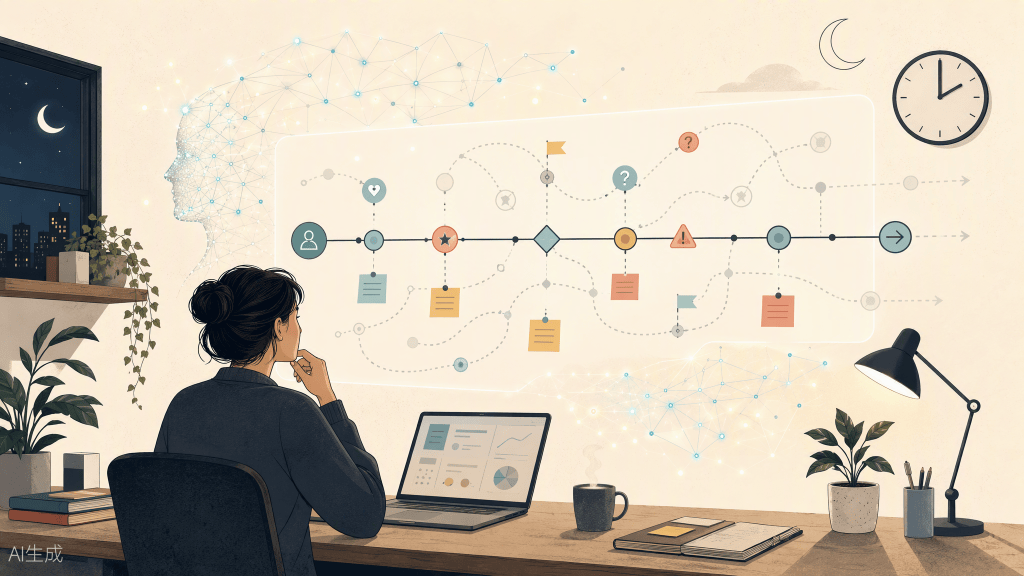
Journey mapping used to be a design deliverable. With AI, it’s becoming a product strategy tool.
In my last piece, I wrote about AI and design thinking as a philosophy: AI can help us move faster through ambiguity, but it cannot decide what matters.
This article is about what happens when that philosophy meets product management.
Because product teams rarely have the luxury of waiting until everything is clear. We make decisions before we have complete data. We prioritize features before the product exists. We design onboarding for users we haven’t met yet. We commit to roadmaps based on a combination of evidence, instinct, and informed guesses.
That’s where journey mapping becomes more than a UX exercise.
As a PM, I don’t have time to manually map every possible user path, edge case, dependency, and failure state. My workflow is to use AI to generate roughly 80% of the journey in minutes, then spend my human time on the 20% that actually matters: testing assumptions, resolving trade-offs, and deciding what we should build first. The map is not the point. The decisions it enables are.
A Pretty Journey Map Is Not Necessarily a Useful One
I’ve seen journey maps that look beautiful.
Clean stages. Elegant swimlanes. Carefully color-coded emotions. Neat little pain points placed under every step. They look impressive in a workshop or a stakeholder presentation. And then nobody uses them again.
The problem is that many journey maps are built to summarize what we already know. They describe the ideal path, package the current state, and make everyone feel aligned for an afternoon. However, alignment is not the same as direction.
A decision-driving journey map does something different. It helps the team answer questions like:
– Where are users most likely to hesitate?
– What assumptions are we treating as facts?
– What happens when the user doesn’t behave the way we expect?
– Which pain points are annoying, and which ones could break trust?
– What should we validate before writing production code?
– Which journey stage should influence the roadmap first?
– What does the user need at this moment, not just on this screen?
That last question matters to me as a PM. A screen-focused process asks, “What should this page contain?” A journey-focused process asks, “What is the user trying to accomplish, and what might stop them?”
That shift changes the conversation. We stop designing isolated interactions and start designing movement: from uncertainty to confidence, from intention to action, from first touch to long-term value.
A useful journey map should make trade-offs visible. It should expose risk. It should tell us where the product is most fragile. If it doesn’t change a decision, it’s probably just documentation.
Why AI Is Useful Before the Journey Is Real
Traditional journey mapping works best when you have evidence. You interview users. You observe behavior. You analyze support tickets. You review analytics. You map what people actually do.
But what happens when the product doesn’t exist yet? Or when the feature is new, the user segment is unfamiliar, or the behavior hasn’t been validated?
This is where AI becomes useful — not as a source of truth, but as a way to create a structured hypothesis. I can give AI the product context, the target user, the job they’re trying to complete, and any constraints we already know. Then I ask it to generate a first-pass journey.
For example:
Create a draft user journey for a first-time user trying to accomplish [goal] in [product context]. Include their likely trigger, goals, questions, emotions, actions, barriers, and moments of uncertainty. Separate what is known from what is assumed.
The output is rarely perfect and that’s fine. I’m not looking for the finished answer. I’m looking for a starting structure that helps the team think beyond the happy path.
Before AI, this kind of speculative mapping could take hours of workshops and sticky notes. Now I can generate several journey variations quickly:
- A confident expert user
- A skeptical first-time user
- A time-poor mobile user
- A user returning after six months
- A user with accessibility needs
- A user who starts the process but doesn’t trust the outcome
- A user who begins on one device and finishes on another
These are not real users. They are possibility models.
The value is that they give us something specific to challenge. Instead of starting with a blank whiteboard, we can ask: “Which of these assumptions feels strongest? Which one feels dangerous? Which one do we need to test?” That is a much better conversation.
The “What If They Do This at 2am?” Test
Every product team has a version of this question:
- What if the user opens the app at 2am, tired and distracted?
- What if they’re on a train with unstable connectivity?
- What if they don’t understand the terminology?
- What if they abandon the flow halfway through and come back next week?
- What if they’re trying to solve a stressful problem and have very little patience?
These scenarios rarely appear in the ideal journey map. They’re inconvenient. They make the experience messier. They force us to confront the fact that users do not enter our products as calm, fully informed people ready to follow our intended flow.
AI is very good at generating these uncomfortable variations. Once I have a baseline journey, I stress-test it with prompts like:
Now simulate the journey for a user who is anxious, distracted, and using a mobile device with poor connectivity. Where does the experience become fragile?
Or:
Identify moments where the user might misunderstand the product’s intent, lose trust, or feel that continuing is not worth the effort.
Or:
What happens if the user skips the recommended first step, enters incomplete information, or returns after a long delay?
This is not about letting AI predict the future. It’s about expanding the field of possibilities before engineering makes those possibilities expensive.
The “2am user” is not an edge case in the dismissive sense. They are a reminder that people bring context with them. They may be tired. They may be skeptical. They may be comparing us to three alternatives. They may be doing something important while also making dinner, answering messages, or sitting in a parking lot.
A product that only works for the ideal user in ideal conditions is not really ready.
AI helps me find the cracks earlier. Humans still decide which cracks matter.
How I Map Journeys for Products That Don’t Exist Yet
For pre-launch products, I treat the journey map as a hypothesis system.
Every stage contains three types of information:
1. What we know
Evidence from research, customer conversations, market data, support tickets, or behavior in an existing product.
2. What we assume
Reasonable beliefs based on experience, analogous products, domain knowledge, or stakeholder input.
3. What we need to learn
Open questions that could materially change the product, roadmap, or positioning.
That distinction matters. One of the risks of using AI is that it can make speculation sound polished. It can generate a smooth, confident journey even when the underlying evidence is weak. So I ask AI to label its own uncertainty.
For example:
For each journey stage, separate observed evidence, inferred behavior, and assumptions. Highlight the assumptions with the highest product risk.
This changes the output from a deliverable into a research plan.
If the map says users will “quickly understand the value proposition,” I want to know whether that’s based on evidence or wishful thinking.
If the map says users will “trust the recommendation,” I want to know why. What creates that trust? What could destroy it?
If the map assumes users will invite teammates, connect an account, import data, or pay before seeing value, those are not minor interaction details. They are strategic assumptions. And strategic assumptions deserve tests.
My Workflow: From Blank Page to Decision-Ready Map
My process usually looks like this.
1. Start with the outcome, not the interface
Before asking AI for a journey, I define the user’s intended outcome.
Not “complete onboarding.”
Not “use the dashboard.”
Not “finish setup.”
What are they actually trying to achieve?
A user does not wake up wanting to configure permissions. They want to feel confident that the right people have the right access.
This distinction matters because journey stages built around product actions tend to produce feature checklists. Journey stages built around user outcomes tend to produce better product decisions.
2. Generate the baseline journey
I give AI enough context to create a useful draft:
- Product or feature concept
- Target user and context
- User goal
- Known constraints
- Business objective
- Existing research, if available
- Success definition
- Channels and devices involved
Then I ask for a journey with goals, actions, thoughts, emotions, pain points, moments of truth, and opportunities. The first output is usually competent but generic. That’s expected. The real value comes from iteration.
3. Stress-test the journey
I ask AI to challenge the happy path.
- What could confuse the user?
- Where might they hesitate?
- What might make them abandon the process?
- What happens if they skip a step?
- What assumptions are embedded in this journey?
- Where could trust break?
- Which moments have a disproportionate impact on conversion, retention, or perceived value?
At this stage, I’m not looking for more content. I’m looking for sharper risk.
4. Separate evidence from imagination
This is where human judgment becomes critical.
I review the journey and ask:
- Do we know this, or are we assuming it?
- Is this pain point real, or does it just sound plausible?
- Would this affect enough users to matter?
- Could this create a serious trust or retention issue?
- Do we need research, analytics, or a prototype test to answer it?
AI can help organize the uncertainty, but it cannot own it. That responsibility stays with the team.
5. Turn the journey into product questions
A journey stage becomes much more useful when it generates questions.
For example:
Journey moment: The user is asked to connect an external account before seeing value.
Possible questions:
- Do users understand why this is required?
- Do they trust the product enough to connect it?
- Can we show value before asking for sensitive access?
- What reassurance is needed at this moment?
- What happens if the connection fails?
- Is this step necessary for the first session, or can it wait?
Now we’re no longer discussing a screen. We’re discussing sequencing, trust, perceived value, data requirements, and activation strategy. That is product management.
From Journey Map to Backlog
A journey map should not sit next to the backlog. It should feed it. Once the journey is clear enough, I translate each important moment into potential user stories, experiments, or technical considerations.
A simple structure looks like this:
- Journey moment: Onboarding request
- User need: Complete onboarding without losing momentum
- Pain point: Users are asked to provide too much information before experiencing value.
- Possible backlog item: Allow progressive onboarding
- Validation: Usability test
From there, a journey stage can become part of a user story:
As a first-time user, I want to complete only the essential onboarding steps before experiencing the product’s core value, so that I can decide whether it is worth investing more time.
These stories are better because they carry journey context. They explain not just what we might build, but why the moment matters.
Prioritization: Not Every Pain Point Deserves a Feature
One risk of journey mapping is that it can create an endless list of problems. Every stage has a pain point. Every user type has concerns. Every edge case can become a requirement if you let it.
That’s where the PM lens matters. I don’t ask, “Can we improve this?”
I ask:
- Does this pain point prevent users from reaching value?
- Does it affect a critical business outcome?
- Is it common, severe, or strategically important?
- Is it a launch blocker, a fast follow, or a later optimization?
- Do we have enough confidence to build, or should we test first?
- What is the cost of being wrong?
AI can help generate options, but prioritization requires context.
A low-frequency issue might still be critical if it damages trust. A high-frequency annoyance might not matter if users can recover easily. A beautiful solution might be unnecessary if the real problem is expectation-setting earlier in the journey.
This is why I treat journey mapping as a strategic input, not a design artifact. It helps decide sequence.
Sometimes the answer is a new feature. Sometimes it’s better copy. Sometimes it’s changing the order of operations. Sometimes it’s removing a step entirely.
The best product decision is not always to build more.
What AI Changed in My Process
The biggest shift wasn’t automation. It was timing.
I can start earlier
I no longer need to wait for a full research cycle before creating a draft journey. I can build a hypothesis map early, then refine it as evidence arrives.
I can explore more paths
Instead of debating one ideal journey, I can compare several plausible journeys and identify where they diverge.
I can surface risk faster
AI helps me find edge cases, dependencies, and trust breakpoints before they become expensive.
I can connect design to delivery
Journey moments become research questions. Research questions become experiments. Experiments become user stories. User stories become roadmap decisions.
I spend more time deciding
I spend less time formatting the map and more time asking what the map means. That’s the part I care about.
The Human 20% Still Matters Most
AI can generate the structure. It can simulate scenarios. It can challenge assumptions. It can help translate ambiguity into something actionable. But it cannot tell me which risk deserves attention.
It doesn’t know the organizational constraints. It wasn’t in the customer interview when someone hesitated before answering. It doesn’t understand the political weight of a roadmap decision or the trust implications of a seemingly small product choice.
It also cannot validate whether real users will behave the way the map predicts. That still requires research, testing, analytics, and judgment.
So my rule is simple:
- Use AI to widen the field. Use human judgment to narrow it.
- Use AI to generate possibilities. Use evidence to make commitments.
- Use AI to accelerate the first draft. Use the team to decide what the draft means.
The Journey Map Is Becoming a Strategic Tool
For a long time, journey mapping sat close to design. It was often treated as a UX artifact — something created during discovery, presented in a workshop, and then archived once the team moved into delivery.
But product management needs this thinking just as much.
PMs are constantly making decisions under uncertainty, so a good user journey map could help answer these questions:
- What should we build first?
- Where should we reduce pain points?
- Which user segment should we prioritize?
- What assumptions could invalidate the roadmap?
- Where does trust need to be earned?
- What outcome are we actually optimizing for?
A journey map helps show where user value and business value meet. It reveals where the experience depends on something the team hasn’t validated. It turns abstract strategy into moments people will actually experience.
And when AI is used thoughtfully, it lets us do this work earlier, faster, and with more humility. Not because AI knows the journey, but because it helps us see how many journeys might exist.
The Real Goal
The goal is not to create a perfect map. The goal is to make uncertainty visible before it becomes expensive. A pretty journey map tells people what the experience is supposed to look like.
A useful journey map tells the team what could go wrong, what we need to learn, and what decision should come next. That’s why I use AI in journey mapping.
Not to replace the messy, human work of understanding people — but to get to that work sooner. A journey map doesn’t need to predict the future perfectly. It needs to help us learn what is true before we build the wrong thing.
Thanks for reading! 💗
